ansrAccess

The Accessibility Intelligence Layer for Canvas

Monitor, manage, and improve accessibility across your Canvas courses without ever leaving the platform.

ansrAccess is the Canvas-integrated accessibility platform built for higher education. It combines AI-powered scanning, expert-led remediation, and role-based faculty training in one managed practice, so your institution can make sustainable progress toward evolving WCAG standards and ADA compliance without disrupting teams or overstretching institutional budgets.

Designed around the way your institution already works.

ansrAccess connects to Canvas via LTI, which means installation is fast, your Canvas environment remains exactly as configured, and faculty interact with accessibility tools directly within the course interface they already know.

There are no new platforms to learn, no separate logins to manage, and no IT infrastructure changes required. Administrators access institution-wide accessibility data through a centralized dashboard that works alongside your existing reporting workflows.

Whether you’re managing accessibility for a single department or across a multi-campus institution, ansrAccess scales without adding operational complexity.

What ansrAccess Does

Scan

Real-Time WCAG 2.2 Scanning:

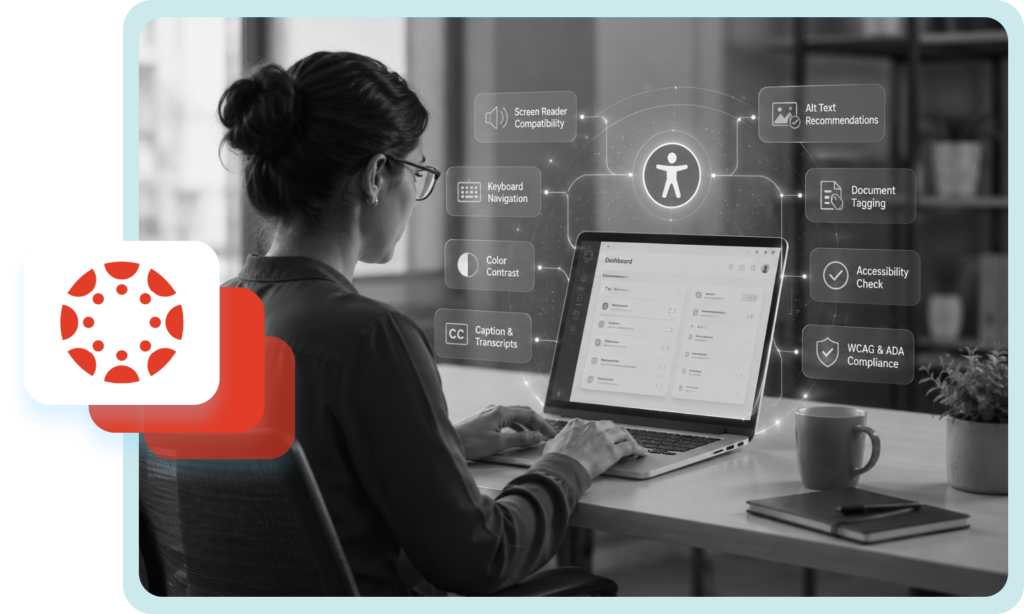
Automatically scans every page, file, and media item against current WCAG standards as content is published or updated

Contextual Accessibility Guidance:

Every issue includes a plain-language explanation, the WCAG criterion it violates, and a clear fix recommendation.

Health Scoring:

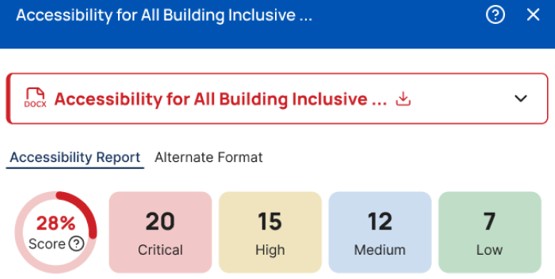
Issues are classified by severity — Critical, High, Medium, Low — so your team always knows where to focus first.

Accessibility report for a document showing an overall accessibility score of 28%, with 20 critical, 15 high, 12 medium, and 7 low issues.

Remediate

AI-Powered AutoFix:

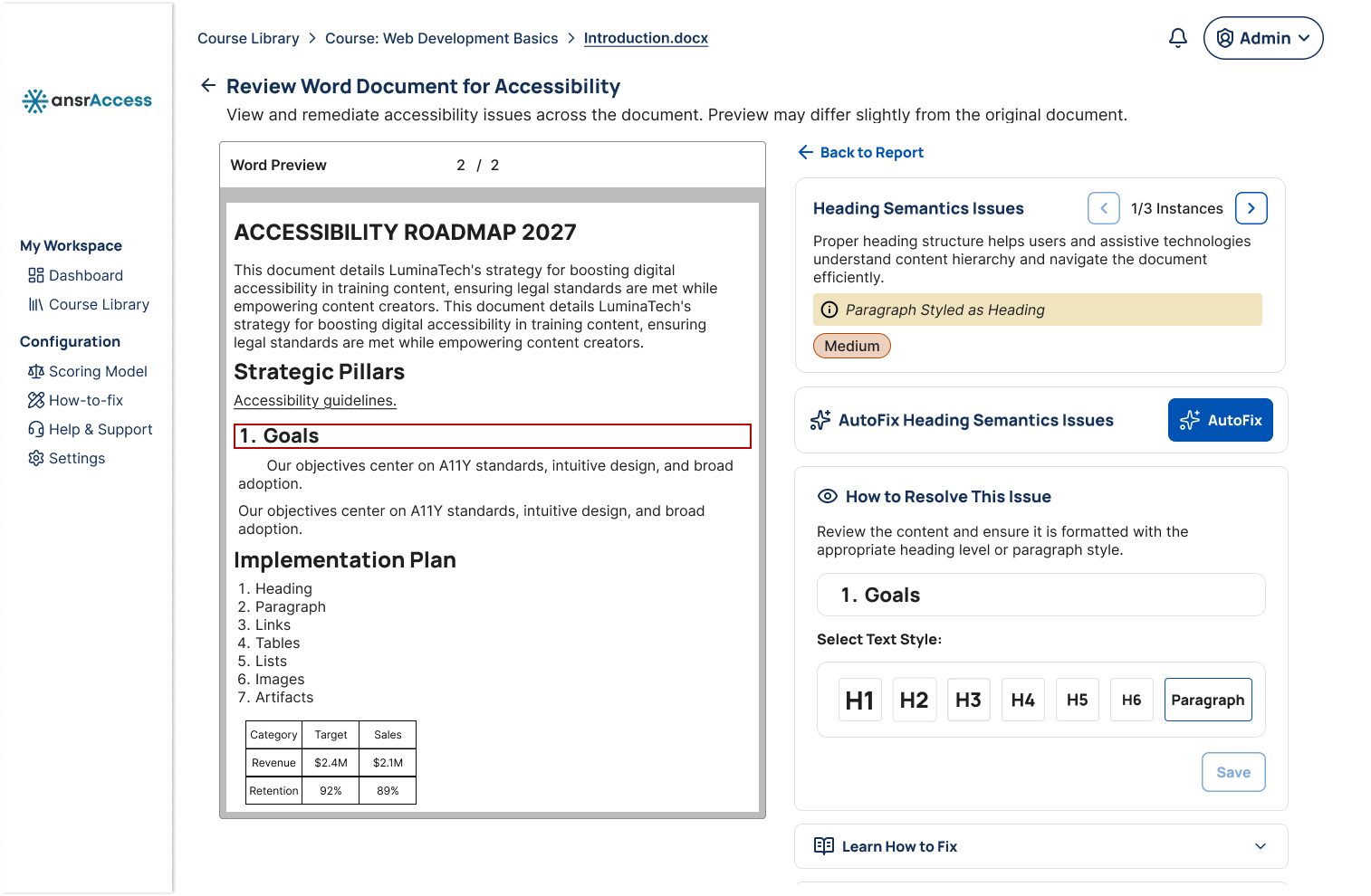
Automatically applies validated corrections for the most common issues, such as missing image descriptions, empty links, and improper heading structure.

Expert Escalation:

Content requiring contextual judgment, such as tagged PDFs, STEM diagrams, scanned documents, and audio description, can be escalated to an accessibility remediation team and returned fully validated.

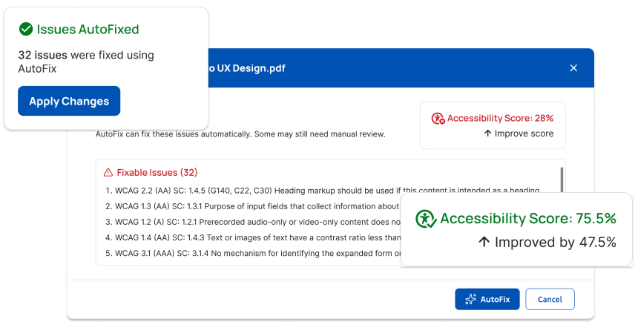
An accessibility checker showing the results of an AutoFix operation. A notification in the upper-left states "Issues AutoFixed" and indicates that 32 issues were fixed using AutoFix, with an Apply Changes button below. The main dialog lists 32 fixable issues and shows the document's accessibility score improving from 28% to 75.5%, an increase of 47.5%. AutoFix and Cancel buttons are available at the bottom of the dialog.

Govern

Accessibility Dashboard:

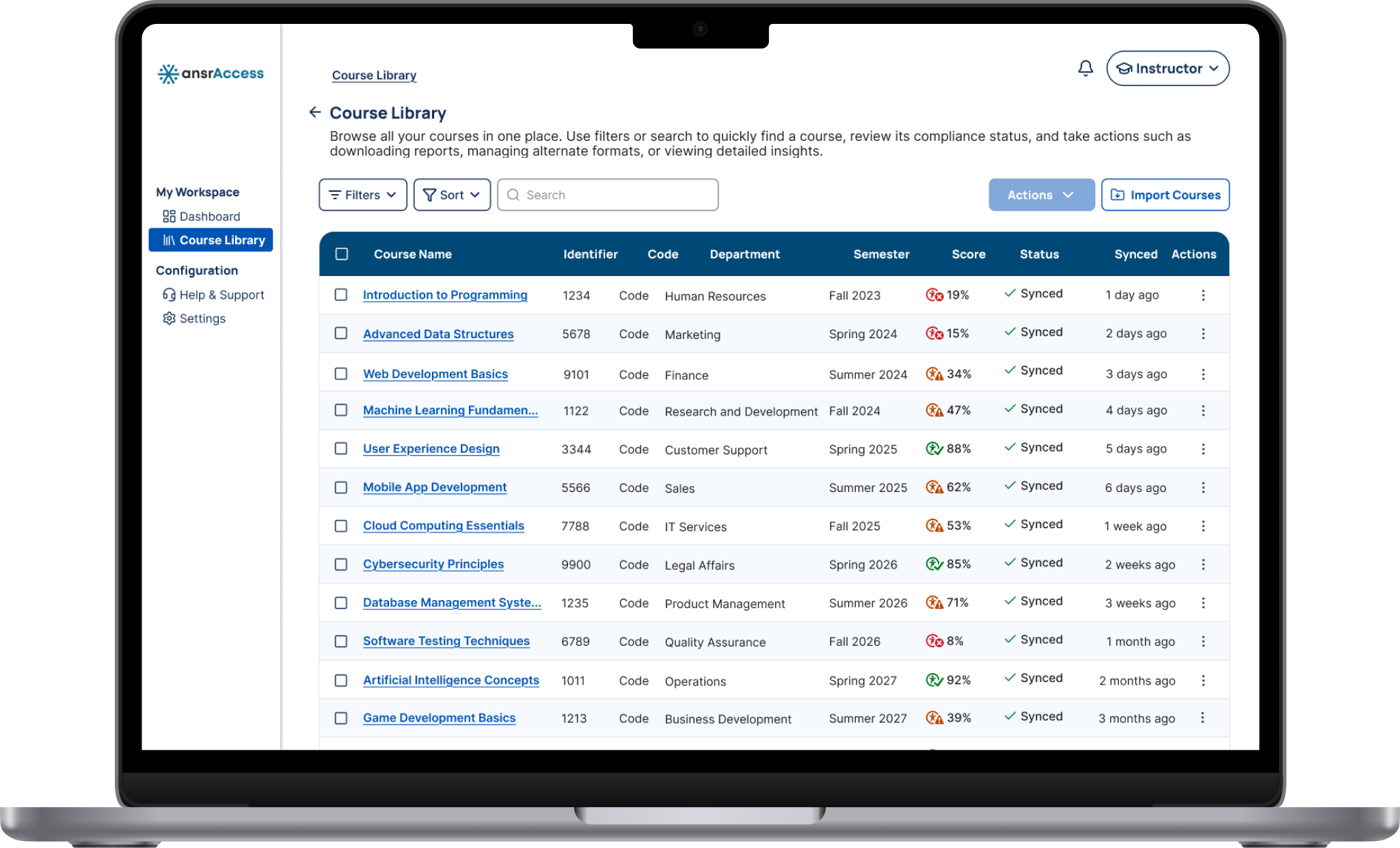
Institution-wide visibility of accessibility performance across every course, department, and campus.

Compliance Reporting:

Downloadable audit logs for governance reviews, audit preparation, and legal due diligence.

Accessible Alternative Formats:

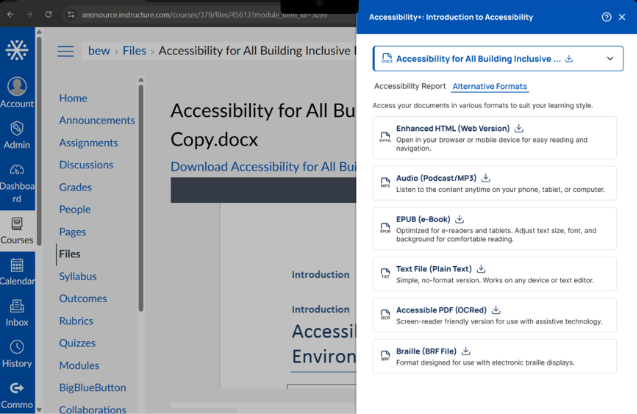
Students select their preferred format, and accessible versions are generated on demand through tagged PDFs, HTML, EPUB, MP3 audio, and other supported formats without the need for manual accommodation requests.

An accessibility panel in Canvas showing the Alternative Formats available for a Word document. The panel provides downloadable versions in Enhanced HTML, Audio (MP3), EPUB, Plain Text, Accessible PDF (OCRed), and Braille (BRF) formats.

One platform. Role-specific experiences for every user.

ansrAccess gives every user the view, tools, and guidance relevant to their role. Learners access content in the format that works for them. Educators see their courses and where attention is needed. Administrators see the full picture across their organization. Every experience is designed for mobile and desktop.

Flexible learning, designed to meet the needs of each individual learner.
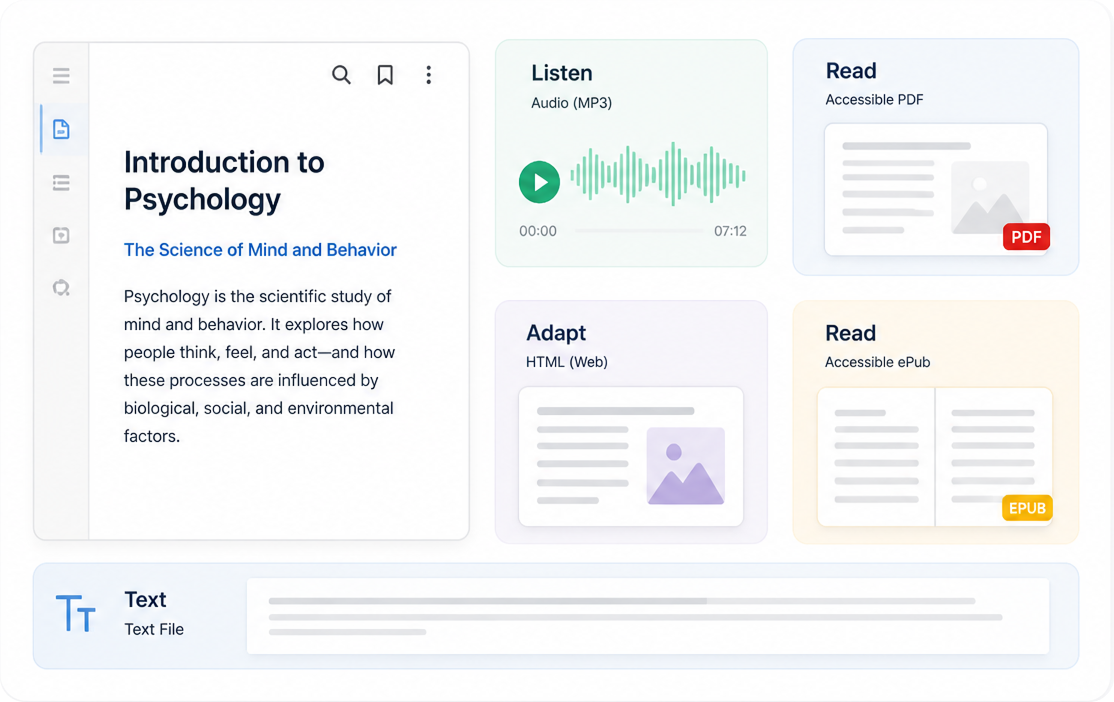
Learners choose how to engage with course content through accessible formats, improved structure, and easier navigation across the course experience.

Make accessibility a natural part of course design.  

Educators, instructors, and content designers can identify issues in real time as they build and update course content and can apply guided or automated fixes directly inside their content environment, making accessibility faster, simpler, and less intimidating. 

Institution-wide accessibility visibility from a single dashboard. 
Administrators and accessibility leaders can capture the full picture of accessibility performance across every course, department, and campus for leadership reviews, audits, and compliance reporting. 

Why ansrAccess?

The Problem with Most Accessibility Tools

Most accessibility tools only show you what is broken. Your team receives a to-do list and is left to work through it – on top of everything else they are already doing.

Compliance scores stall and content remains inaccessible. As a result, learners who need accessible content end up waiting.

ansrAccess was built to close this gap by combining scanning, expert remediation, and role-based upskilling into one managed practice, designed to fit the workflows your team already uses.

What Makes ansrAccess Different?

ansrAccess combines the capabilities institutions need into one platform without requiring your team to manage multiple vendors, tools, or workflows

Most Tools ansrAccess
Primary purpose
Software built to scan and report Platform built by educators to solve real learning accessibility challenges
Remediation model
Identify issues, leave your team to fix them Flexible credit-based managed remediation—your team or ours work together
Configuration
Standard rules applied universally Configurable to your standards—including color contrast thresholds, style guides, and institution-specific rules
Human support
Ticketing system or documentation Direct access to our accessibility team with hands-on, timely responses
Upskilling
Generic guidance or microvideos Role-based curriculum built for how educators and content teams actually work
Alternative formats
Generated on download Generated on demand when the learner selects their preference
Audit trail
Reporting dashboards Downloadable audit logs capturing every scan, fix, escalation, and remediation
Who built it?
Software companies entering an emerging compliance market A learning design company with a deep understanding of accessibility gained through 20+ years of building education that works for every learner
Security
Varies SOC 2 Type 2 and ISO 27001 certified

Getting Started

ansrAccess is designed for straightforward deployment. Our team handles configuration. Your existing environment stays exactly as it is.

Timeline Milestones
Week 1 Setup and configuration. Initial institution-wide scan completed. Baseline accessibility report delivered.
Week 2 Administrator orientation and dashboard setup. Faculty pilot cohort introduced. Upskilling modules launched for pilot group.
Weeks 3–4 Full rollout. Reporting cadence established. First accessibility progress report delivered to leadership.
Ongoing Scanning, remediation, upskilling, and governance support. Dedicated accessibility partner available throughout the process.

Every ansrAccess client works with a dedicated specialist – a member of our team who understands your organization’s context, priorities, and goals. Your partner is your first point of contact throughout the program.

Getting Started

ansrAccess is designed for straightforward deployment. Our team handles configuration. Your existing environment stays exactly as it is.

  1. Week 1: Setup and configuration. Initial institution-wide scan completed. Baseline accessibility report delivered.
  2. Week 2: Administrator orientation and dashboard setup. Faculty pilot cohort introduced. Upskilling modules launched for pilot group.
  3. Week 3: Full rollout. Reporting cadence established. First accessibility progress report delivered to leadership.
  4. Ongoing

    Scanning, remediation, upskilling, and governance support. Dedicated accessibility partner available throughout the process.

Ready to take the next step toward institutional accessibility?

Tell us where you are. We will help you get where you need to be